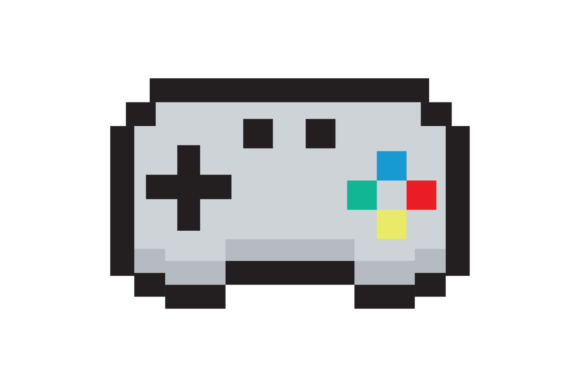
Pixel Vector Game Controller for Designers
In the world of digital assets, few icons capture the imagination quite like a retro gaming device. The Pixel Vector Game Controller is more than just a nostalgic image; it is a versatile design element that bridges the gap between vintage aesthetics and modern technical requirements. Whether you are a professional graphic designer crafting a brand identity or a hobbyist planning your next scrapbook layout, this specific asset offers a unique blend of scalability, clarity, and visual charm. When you download the high-resolution package—featuring dimensions of 4500 x 4500 px at 300 dpi—you are securing a tool capable of handling everything from tiny social media avatars to massive billboard prints.
Why Vector Quality Matters in Modern Design
The distinction between a standard raster image and a true vector illustration often determines the success of a project. A Pixel Vector Game Controller provides the best of both worlds. While the visual style mimics the blocky, charming look of 8-bit and 16-bit eras, the underlying mathematics allow for infinite scaling without pixelation. This is crucial for professionals who need an asset to perform across diverse mediums. If you stretch a low-resolution JPG, it becomes blurry and unprofessional. In contrast, the vector formats included in this collection (EPS and SVG) ensure that every line remains crisp, regardless of how large you make it.
This technical superiority translates directly into usability. For entrepreneurs launching a gaming startup, the ability to resize a logo instantly for business cards, website headers, and merchandise packaging saves hours of rework. The inclusion of PDF files further extends this utility, making it easy to share specifications with printers or clients who need a quick preview before committing to production. The 300 dpi resolution of the PNG and JPG versions ensures that even when used in print layouts where vectors cannot be applied, the image retains sharp edges and vibrant colors.
Key Characteristics of the Asset Package
What sets this particular Pixel Vector Game Controller apart is its comprehensive file structure and attention to detail. The "No Background" feature is a game-changer for designers. It means the controller floats freely, allowing you to place it over complex textures, gradients, or photographs without wrestling with white boxes or awkward masking tools. This transparency is essential for creating layered compositions in digital design software.
- Multi-Format Flexibility: The ZIP folder includes PNG, JPG, EPS, SVG, and PDF. This variety ensures compatibility with almost every industry-standard software, from Adobe Illustrator and Photoshop to Canva and Figma.
- High Resolution: At 4500 x 4500 pixels, the raster images are ready for large-format printing, eliminating the need for upscaling algorithms that degrade quality.
- Scalable Geometry: The vector components allow for precise editing. You can change colors, adjust button shapes, or modify the cord length to fit your specific brand guidelines.
- Clean Aesthetics: The pixel art style is rendered with clean lines and consistent spacing, ensuring it looks intentional rather than messy.
Practical Applications Across Industries
The versatility of a Pixel Vector Game Controller extends far beyond gaming communities. Its recognizable shape and retro appeal make it a powerful communication tool across various sectors.
Crafting and DIY Enthusiasts
For the creative hobbyist, this asset opens doors to limitless possibilities in physical crafting. Imagine using the high-res PNG to print custom stickers for water bottles or laptops. The "No Background" feature makes die-cutting seamless, as the printer knows exactly where the object ends. Scrapbookers can use the image to create themed pages for children's parties or tech-themed albums. The 300 dpi resolution guarantees that when printed on cardstock or photo paper, the details remain sharp enough to see individual pixels clearly, preserving the authentic retro feel.
Digital Marketing and Branding
Marketers and bloggers often struggle to find imagery that resonates with younger demographics while maintaining a professional look. A Pixel Vector Game Controller serves as an excellent visual hook for content related to technology, entertainment, or nostalgia. Use it as a featured image for articles about the history of video games, or incorporate it into infographics about screen time and digital wellness. For businesses targeting gamers, integrating this icon into email newsletters or landing pages can significantly increase engagement by signaling shared interests immediately.
Educational and Professional Presentations
Educators and corporate trainers can leverage this asset to make presentations more engaging. Instead of generic clip art, a well-placed vector controller can illustrate points about user interface design, input devices, or the evolution of technology. Because the file is editable, teachers can customize the colors to match their school's branding or a company's palette, ensuring consistency across all training materials.
Merchandise and Product Design
Entrepreneurs looking to launch a product line will find this asset invaluable. The vector format allows for perfect application on t-shirts, mugs, tote bags, and phone cases. Since the image scales perfectly, you can test designs on small prototypes and then move to mass production without worrying about image degradation. The neutral, transparent background ensures the design sits cleanly on any fabric color, reducing the risk of printing errors.
Maximizing Value Through Strategic Implementation
To get the most out of a Pixel Vector Game Controller, consider how it fits into your broader visual strategy. Consistency is key. If you choose a retro pixel aesthetic for one element, ensure the typography and other graphics complement that style. Mixing ultra-modern gradients with blocky pixel art can sometimes create visual dissonance unless done intentionally for artistic effect.
When selecting this asset for a commercial project, always verify the licensing terms to ensure you have the right to use it for profit. Assuming proper usage rights are secured, the efficiency gains are substantial. Rather than spending days drawing a controller from scratch, you can import the SVG, tweak the hex codes to match your brand, and export it for immediate use. This shift from creation to customization accelerates your workflow, allowing you to focus on higher-level creative decisions.
Furthermore, consider the emotional connection this icon evokes. For many adults aged 20–50, a game controller represents a simpler time, a sense of play, and community. Leveraging this nostalgia can humanize a brand and make digital interactions feel warmer and more inviting. Whether you are designing a mobile app icon or a promotional poster for a local event, the Pixel Vector Game Controller offers a reliable, high-quality foundation that elevates the final result.
Ultimately, the value of this digital resource lies in its adaptability. It respects the constraints of print while embracing the flexibility of the web. By incorporating such a robust asset into your toolkit, you empower yourself to tackle projects of any scale with confidence, knowing that your visuals will look as good on a smartphone screen as they do on a large-scale banner.