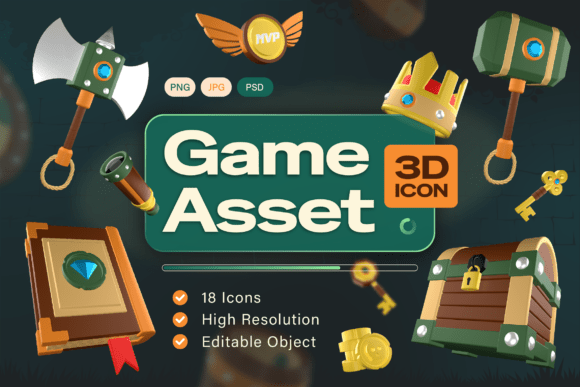
Game Asset 3D Icon Pack: Enhance Your Fantasy Game with High-Quality Icons
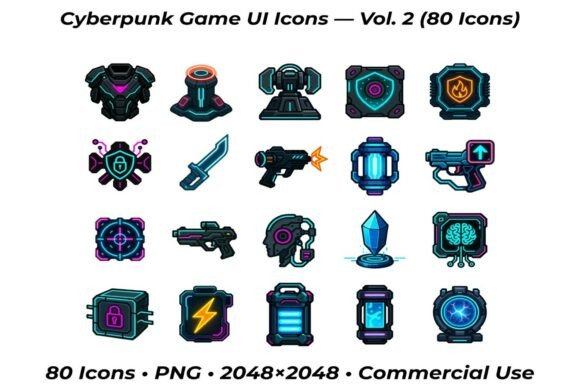
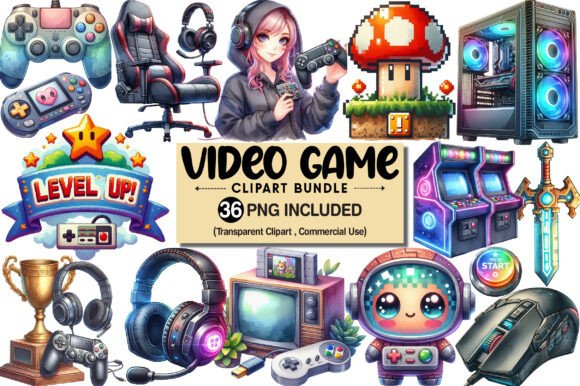
For game developers, UI designers, and creative professionals, the Game Asset 3D Icon Pack offers a compelling solution to elevate visual design in fantasy-themed projects. This pack includes 18 high-resolution 3D icons, each crafted with precision to reflect the charm and detail of classic adventure and medieval settings. From treasure chests to enchanted swords, these icons are designed to help bring game worlds to life with a professional and immersive aesthetic.
What Makes the Game Asset 3D Icon Pack Unique?
Unlike generic icon sets, this collection is tailored specifically for fantasy and adventure themes. Each item is modeled in 3D and rendered with rich textures and lighting to create a sense of depth and realism. Whether you're building an RPG, mobile app, or digital interface, these icons can enhance visual communication and user engagement.
The pack includes multiple file formats — such as PNG, JPG, and editable PSD — making it versatile for both quick implementation and detailed customization. It's ideal for developers and designers who want to maintain a clean, cohesive look without spending excessive time creating assets from scratch.
Common Mistakes When Using the Game Asset 3D Icon Pack
While the Game Asset 3D Icon Pack offers many benefits, there are common pitfalls users may encounter that can impact the final result. Recognizing these issues early can help ensure your project maintains a polished, professional appearance.
1. Overlooking Theme Consistency
One of the most frequent missteps is using icons that don't align with the overall visual theme of the project. For example, placing a medieval-style crown icon into a futuristic sci-fi game can create visual dissonance. Always ensure the fantasy aesthetic of the icons matches your game or app's setting.
Better approach: Review the sample icons and compare them to your existing design elements. If your game uses a dark, gritty style, look for icons that reflect that mood rather than bright, cartoonish visuals.
2. Misusing File Formats
Some users rush into using the PNG or JPG versions without considering the advantages of the included PSD files. This can limit customization options, especially if you need to adjust colors, lighting, or scale icons to fit specific UI layouts.
Better approach: Start with the editable PSD files if you have access to Adobe Photoshop or a compatible editor. This allows you to tweak individual elements and maintain visual harmony across your interface.
3. Ignoring Resolution and Scaling
Icons that look sharp on a desktop screen may appear pixelated on mobile devices or high-DPI displays. Failing to test icons at various sizes can lead to a loss of clarity and professionalism.
Better approach: Always preview icons at multiple resolutions. If needed, upscale with care or use vector-based tools to maintain crisp visuals across platforms.
4. Underestimating the Importance of Licensing
Many creators download and use assets without fully understanding the licensing terms. Some icon packs may restrict commercial use or require attribution. Failing to comply can lead to legal issues or unexpected costs later.
Better approach: Carefully read the license agreement included with the Game Asset 3D Icon Pack. Confirm whether it allows for commercial use, modification, and redistribution, especially if you're planning to sell your game or app.
What to Check Before Downloading or Purchasing
Making an informed decision before acquiring the Game Asset 3D Icon Pack can save time and prevent design setbacks. Here are a few key points to evaluate:
- Compatibility: Ensure the file formats work with your preferred design or development tools.
- Scalability: Confirm that icons are available in high enough resolution for your target platforms.
- Customization Options: Check if the PSD files allow for easy editing of layers, colors, and effects.
- Usage Rights: Understand the licensing terms to avoid legal complications, especially in commercial projects.
Maximizing the Value of Your Icon Pack
To get the most out of the Game Asset 3D Icon Pack, consider these practical strategies:
- Organize your assets: Create a folder structure for each icon type (e.g., weapons, maps, treasure) to streamline your workflow.
- Test in context: Place icons directly into your UI or game scenes to see how they interact with other design elements.
- Use in combination with other assets: Pair these icons with matching fonts, buttons, and backgrounds to maintain a cohesive look.
- Iterate and refine: Don't be afraid to tweak colors or add effects to better integrate icons into your design system.
Conclusion: A Smart Choice for Fantasy Design
The Game Asset 3D Icon Pack is a valuable tool for anyone looking to enhance their game or app with high-quality, theme-appropriate visuals. By understanding how to avoid common mistakes and making thoughtful design choices, you can ensure your project stands out with a polished, immersive appearance. Whether you're a beginner or an experienced developer, these icons offer a convenient way to elevate your creative work without sacrificing quality or style.